
Jordan Dunteman
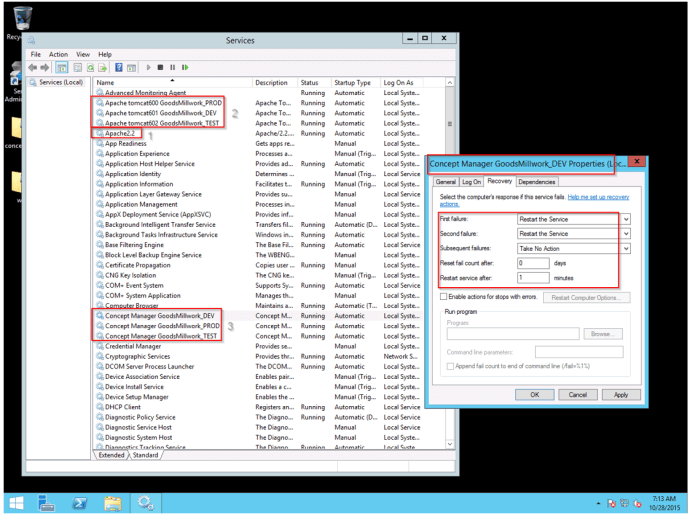
Now that you have Windows Updates enabled, check up on them every other week or every month and apply on Friday afternoons near end of day. Make note if they require a system restart because after the restart you want to check to make sure these services are running. See attached EG1:
If the highlighted services are not started, start them in that numbered order. If you look to the right on that screenshot, I have made a service failure remedial plan for all of your highlighted services where if they fail they will automatically attempt to restart twice in 1 minute intervals. After the two additional failed attempts they will now run a batch file program I’ve created letting you know you have an issue once you log into the server. See EG2.
Jordan Dunteman
Implementation Specialist
Configure One, Inc.
 Good's Millwork SOPs


You must be logged in to post a comment.